BreezoMeter
Web App Feature Innovation

I led the UX design for a suite of novelty features that transformed the BreezoMeter web application from a data-visualization tool into a high-engagement, interactive platform. This work spanned end-to-end product design - from complex user flows and wireframes to high-fidelity UI - while establishing the UX foundations for the subsequent mobile app implementation.

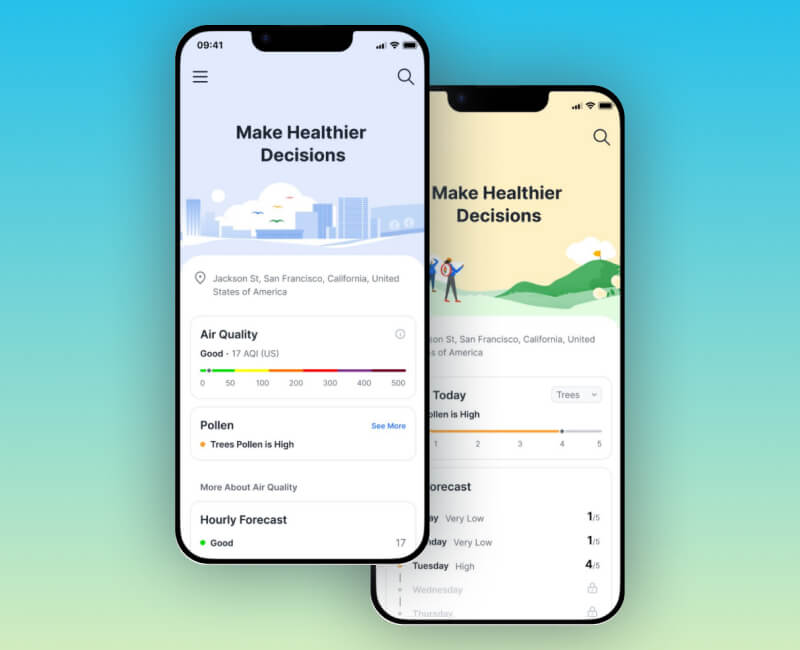
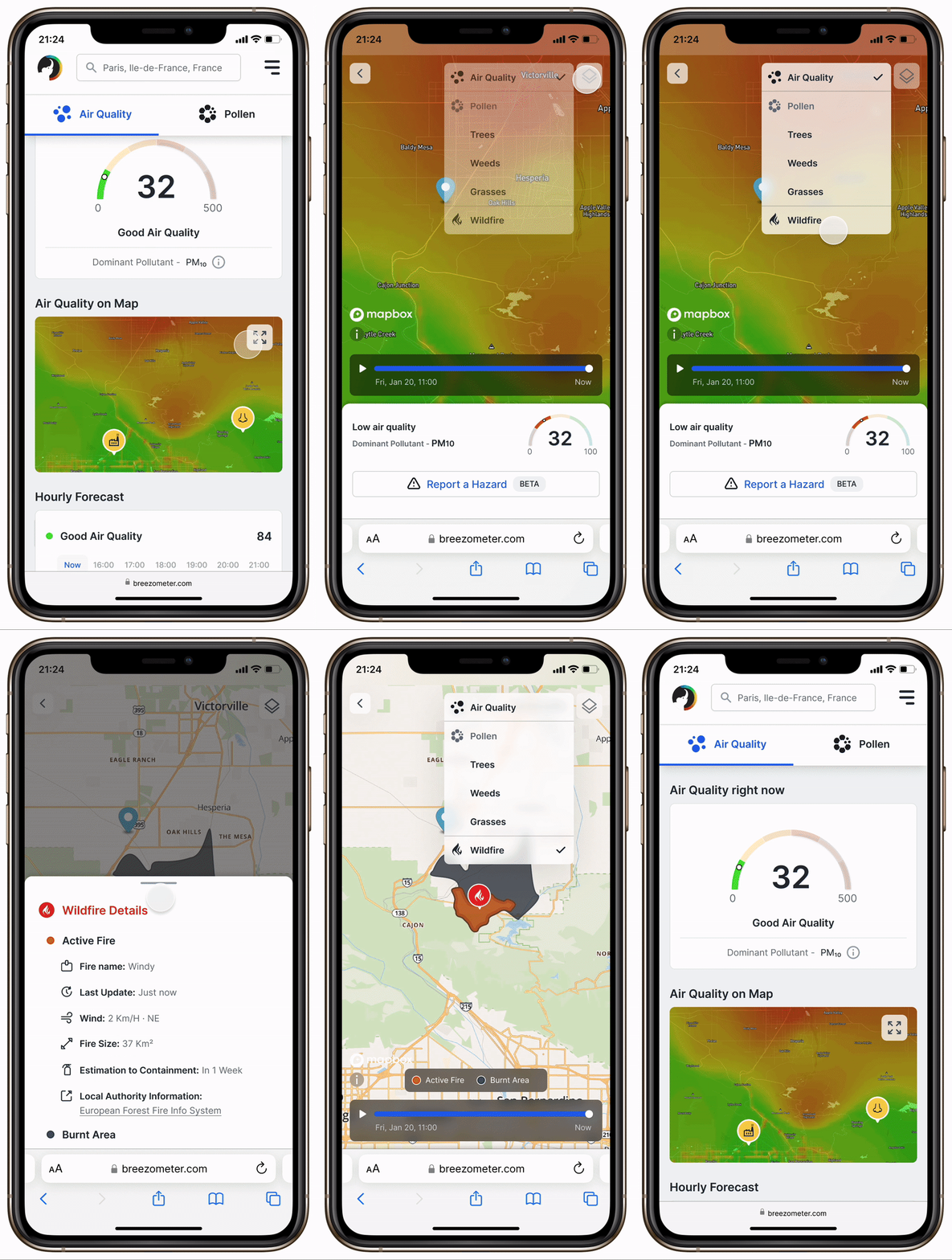
Breezometer mobile web app demo for Web App feature innovation - menu CTA button and bottom sheet
Web App Features
What is the BreezoMeter Web App?

BreezoMeter pioneered unique air quality and pollen heat map models alongside a wildfire polygon feature. A transformative milestone occurred in 2020 through a partnership with Apple, which integrated attribution links within the Apple Weather app. This collaboration resulted in tens of millions of visitors entering the BreezoMeter web app from all over the world.

The platform serves a diverse global audience, primarily within the 18-34 age group, with significant reach in the US, Germany, Japan, and Canada. The web app maintains 1.5 million Monthly Active Users (MAU) who rely on the platform for air quality insights, news, and scientific data regarding wildfires and environmental hazards.

BreezoMeter - Web App Feature Innovation

By designing features like Map Layers Navigation, Air Quality Historical View, Wildfire Burnt Area Representation, and Hazard Reporting, I aimed to optimize the B2C experience. These innovative features were designed to increase user engagement and drive subscription conversions by providing premium value, such as expanded forecasts and enhanced historical data for registered users

Strategic Innovation Goals
  • Scale the Ecosystem:
    Implement a modular UI architecture to support expanding data layers without increasing cognitive load through improved Map Layers Navigation.
  • Empower Data-Driven Decisions:
    Provide interactive, historical, and predictive context to help users make healthier choices via the Air Quality Historical View.
  • Enhance Community Awareness:
    Clearly distinguish between current and past environmental threats through the Wildfire Burnt Area Representation.
  • Strengthen Real-Time Safety:
    Leverage user-generated feedback for instantaneous, localized alerts via the Hazard Report (Beta).
  • Drive Growth:
    Strengthen the subscription model by offering freemium access alongside advanced data depth as a key incentive for registration and subscription conversion.
The following features were designed to achieve the above goals
1. Map Layers Navigation
  • The initial interface featured persistent tabs for "Air Quality" and "Pollen" that restricted map visibility and increased cognitive load despite low usage frequency.
  • A key objective was to streamline navigation between these map layers on mobile to maximize screen real estate.
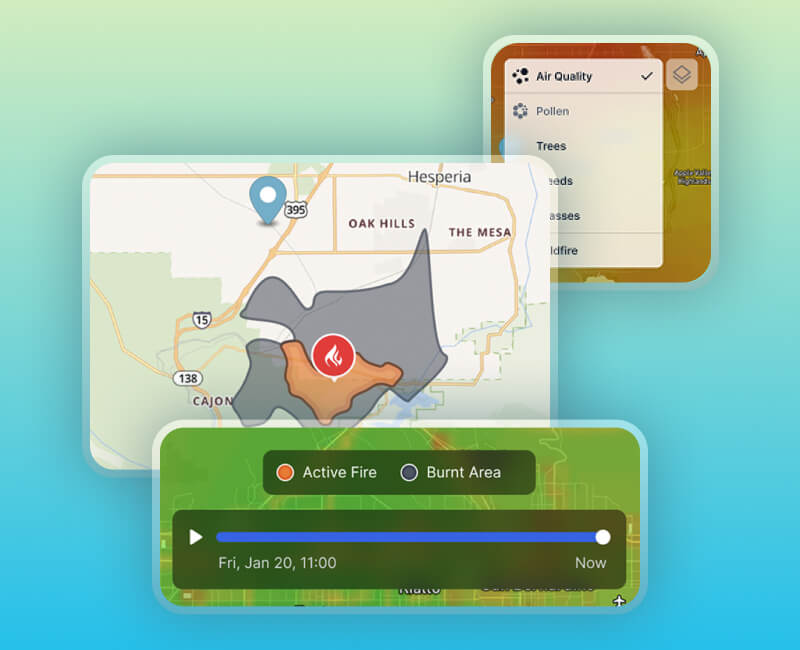
  • The UX solution replaced the tabs with a consolidated "Layers" CTA button in the map's corner, improving clarity and allowing for the seamless addition of a standalone "Wildfire" layer. This architectural shift reduced the data confusion previously caused by merging wildfire data with air quality.
Web App Mobile - Map Layers Navigation
2. Air Quality Historical View
  • The initial state lacked an intuitive way for users to access and visualize BreezoMeter’s historical air quality data, limiting their ability to identify environmental patterns.
  • A key objective was to empower users to make data-driven, healthier decisions by providing an accessible timeline for historical environmental trends on both mobile and desktop.
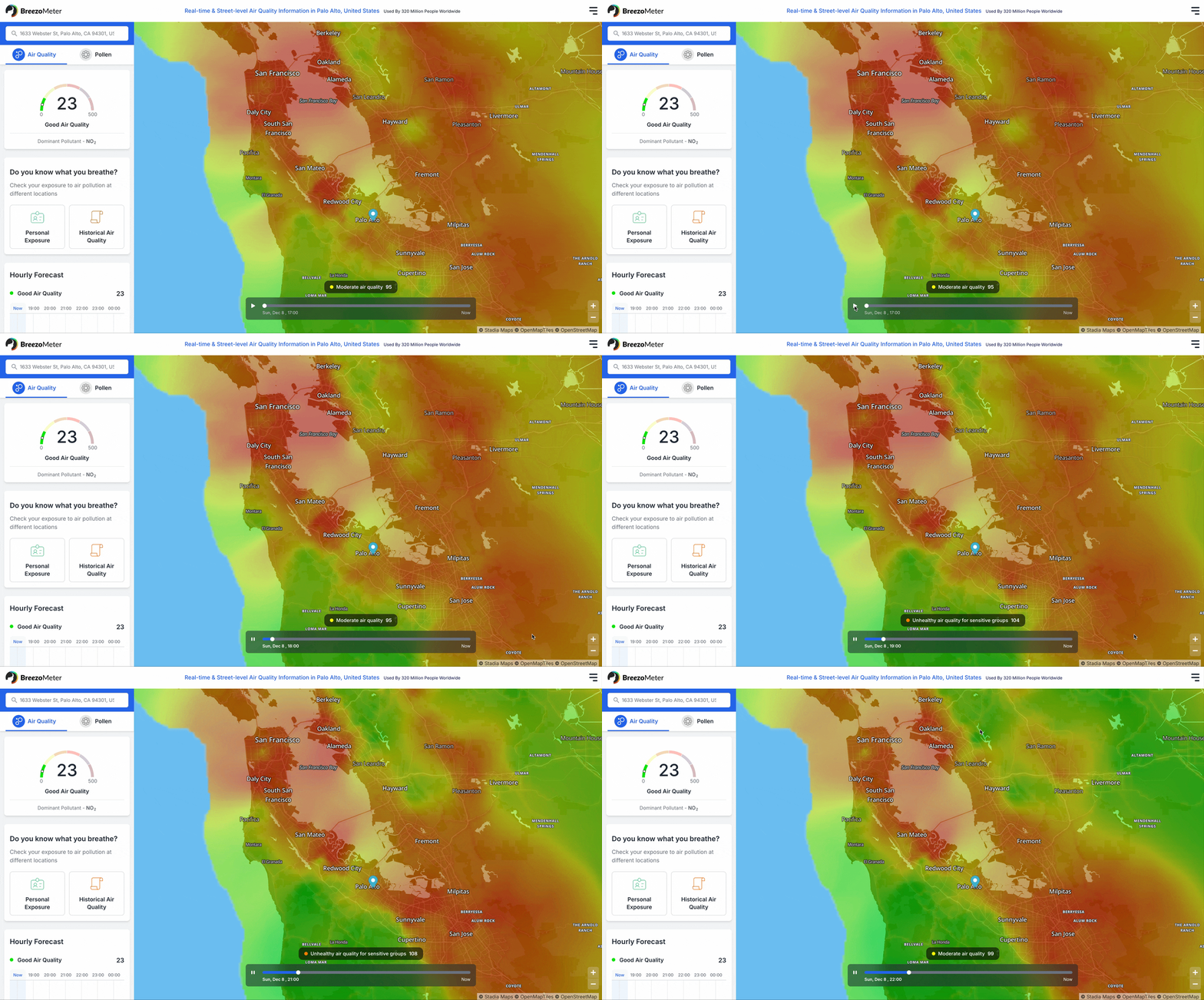
  • The UX solution implemented a dynamic time-slider at the bottom of the interface. As the slider progresses in one-hour increments, the heat map updates in real-time, accompanied by a dynamic air quality index (AQI) badge showing specific values (e.g., Good, Moderate, Hazardous) for the selected map point (coordinate).
  • Subscription Strategy: To drive conversion, a freemium model was integrated; guest users could access the most recent hour plus five hours from the previous day, while premium subscribers unlock the full 24-hour historical window.
Breezometer Desktop Timeline - example Breezometer Desktop Animated Timeline
3. Wildfire Burnt Area Representation
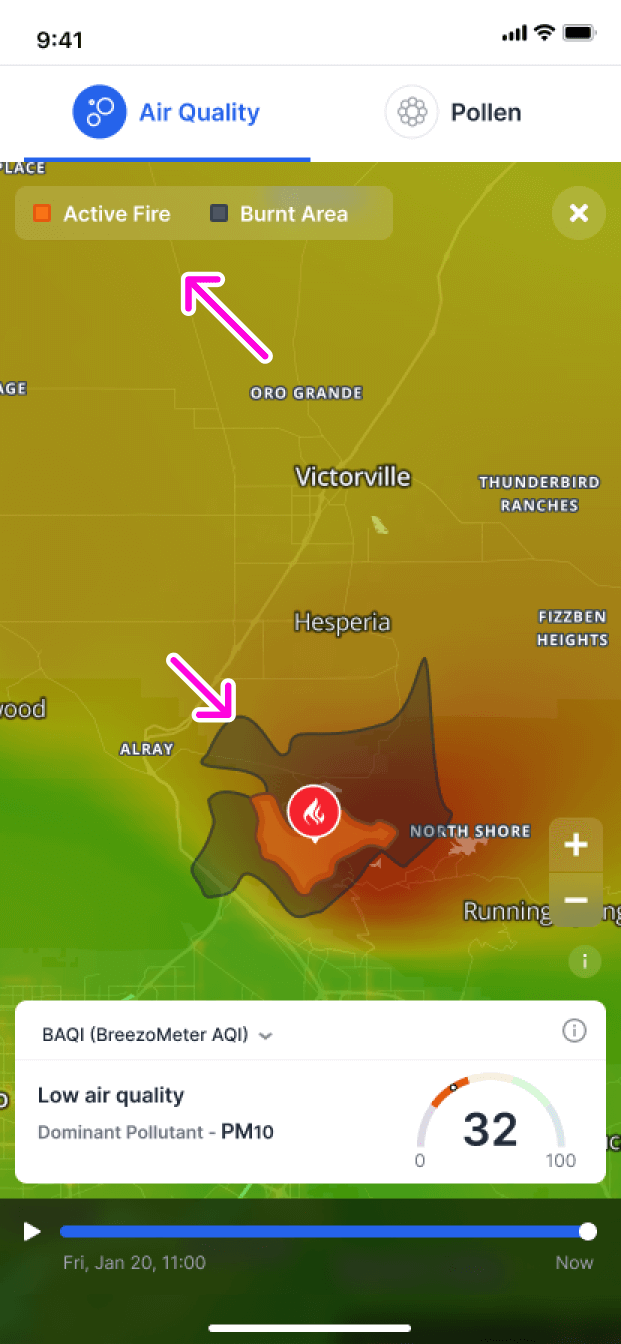
  • The initial state featured an integrated wildfire polygon layer atop the air quality heat map, which lacked visual distinction between current and past events.
  • The goal was to clearly distinguish between active threats and previously affected zones to enhance environmental safety awareness.
  • The UX solution introduced a semi-transparent dark polygon to represent "burnt areas" alongside the existing orange "active fire" polygons, supported by a tailored legend. This distinction provides users with critical context regarding hazard levels in both natural areas and transit routes.
Mockup - Burnt Area (zoomed out) Mockup: Wildfire Burnt Area (zoomed out)
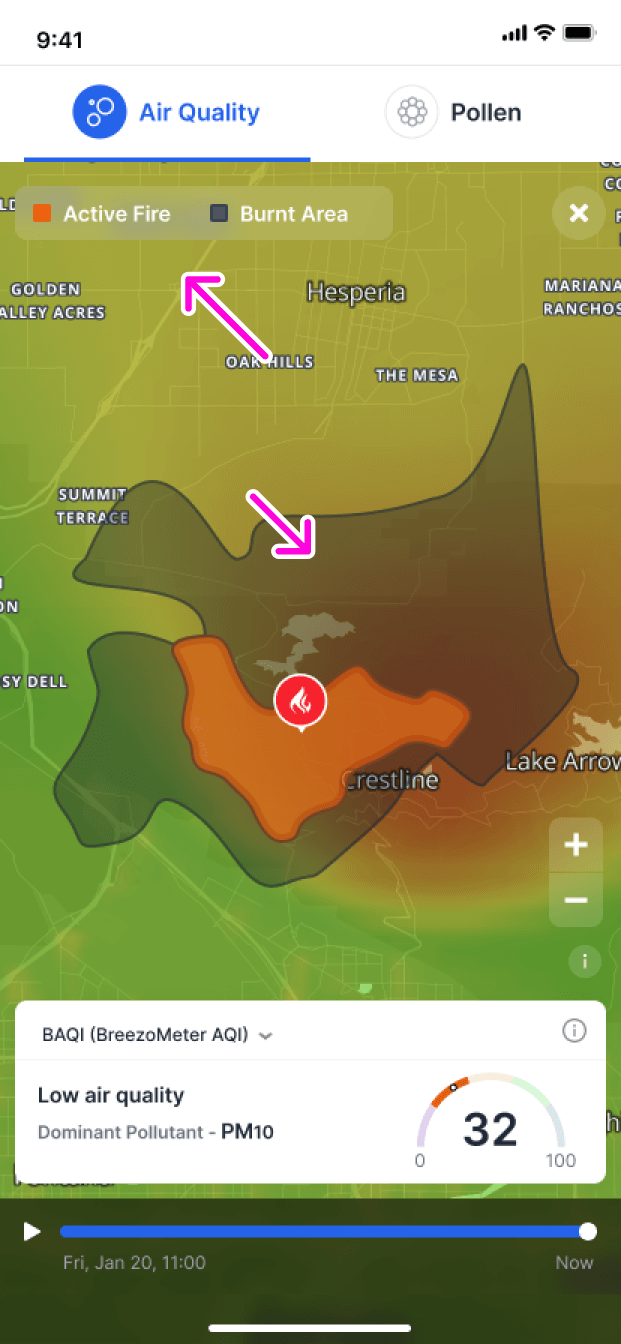
Mockup - Burnt Area (zoomed in) Mockup: Wildfire Burnt Area (zoomed in)
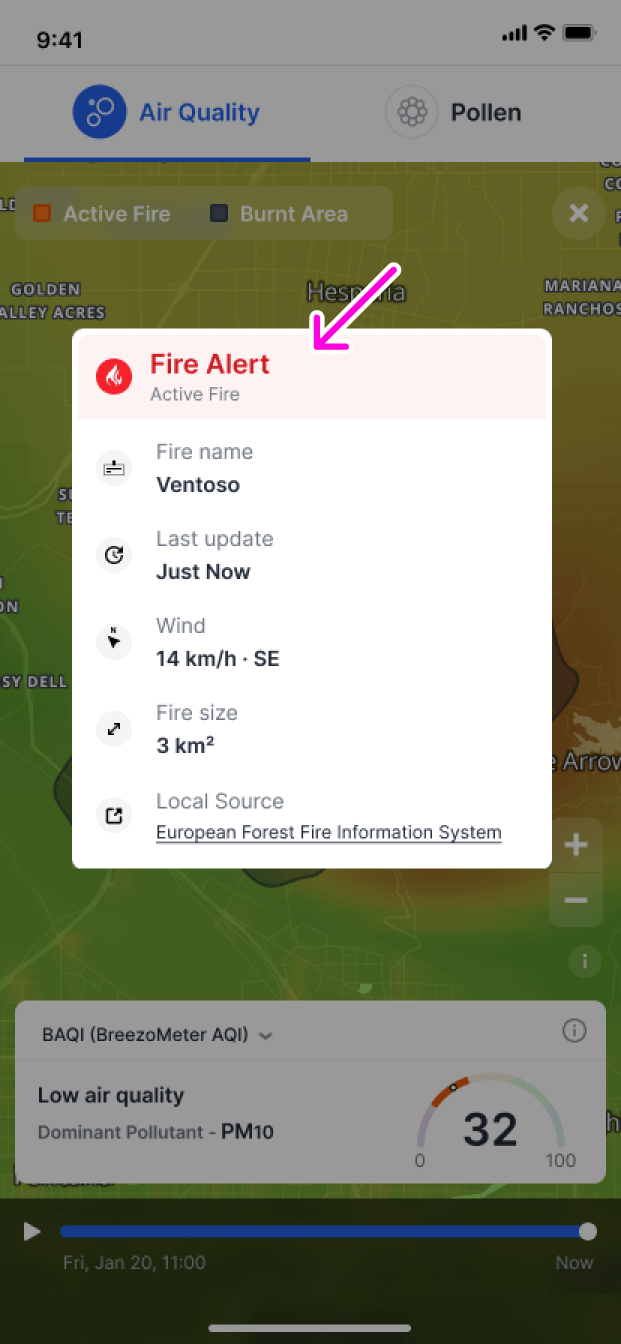
Mockup - Burnt Area - fire info dialog Mockup: Wildfire Burnt Area - fire info dialog
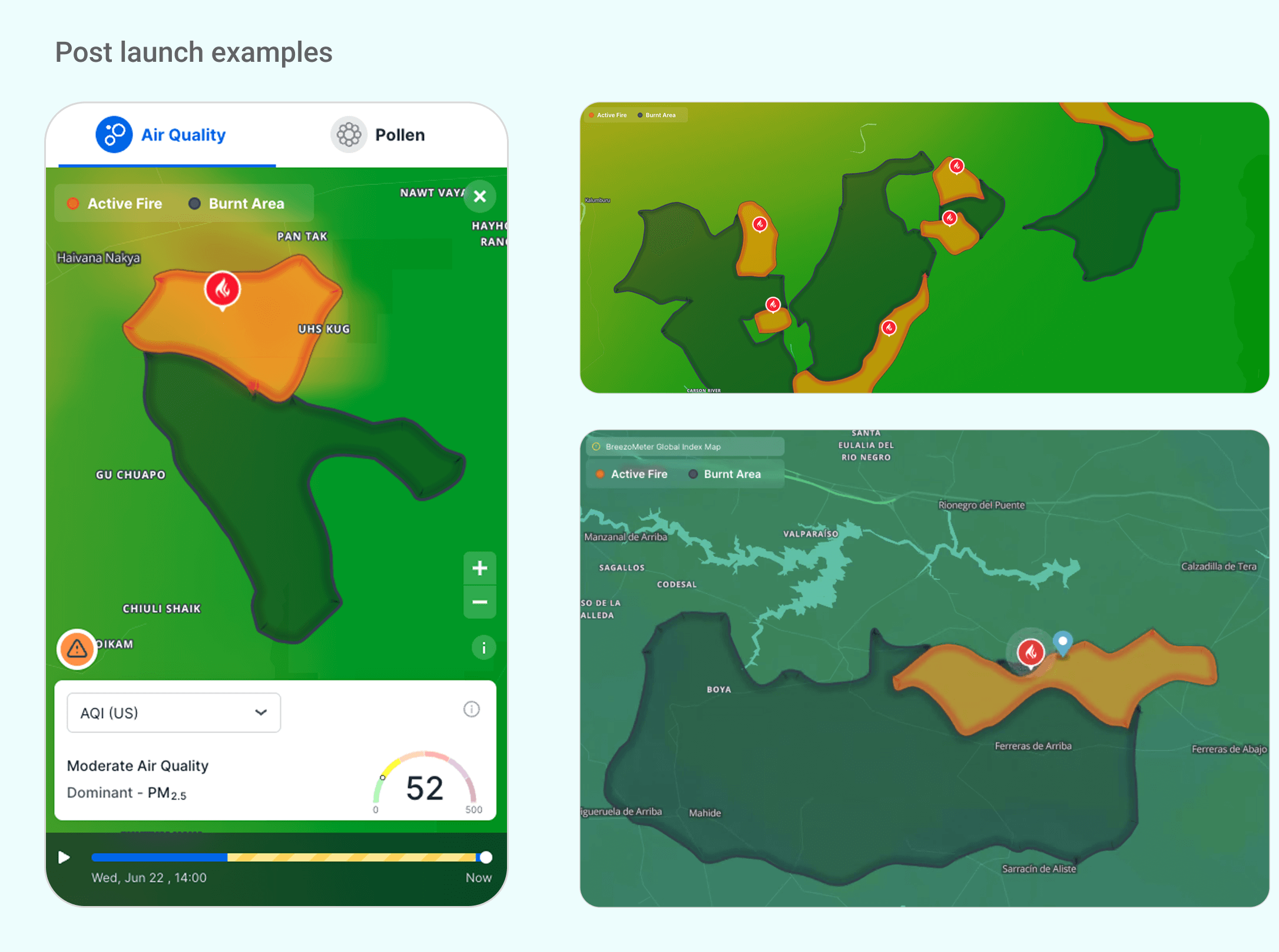
Wildfire Burnt Area representation - post launch Wildfire Burnt Area representation - post launch
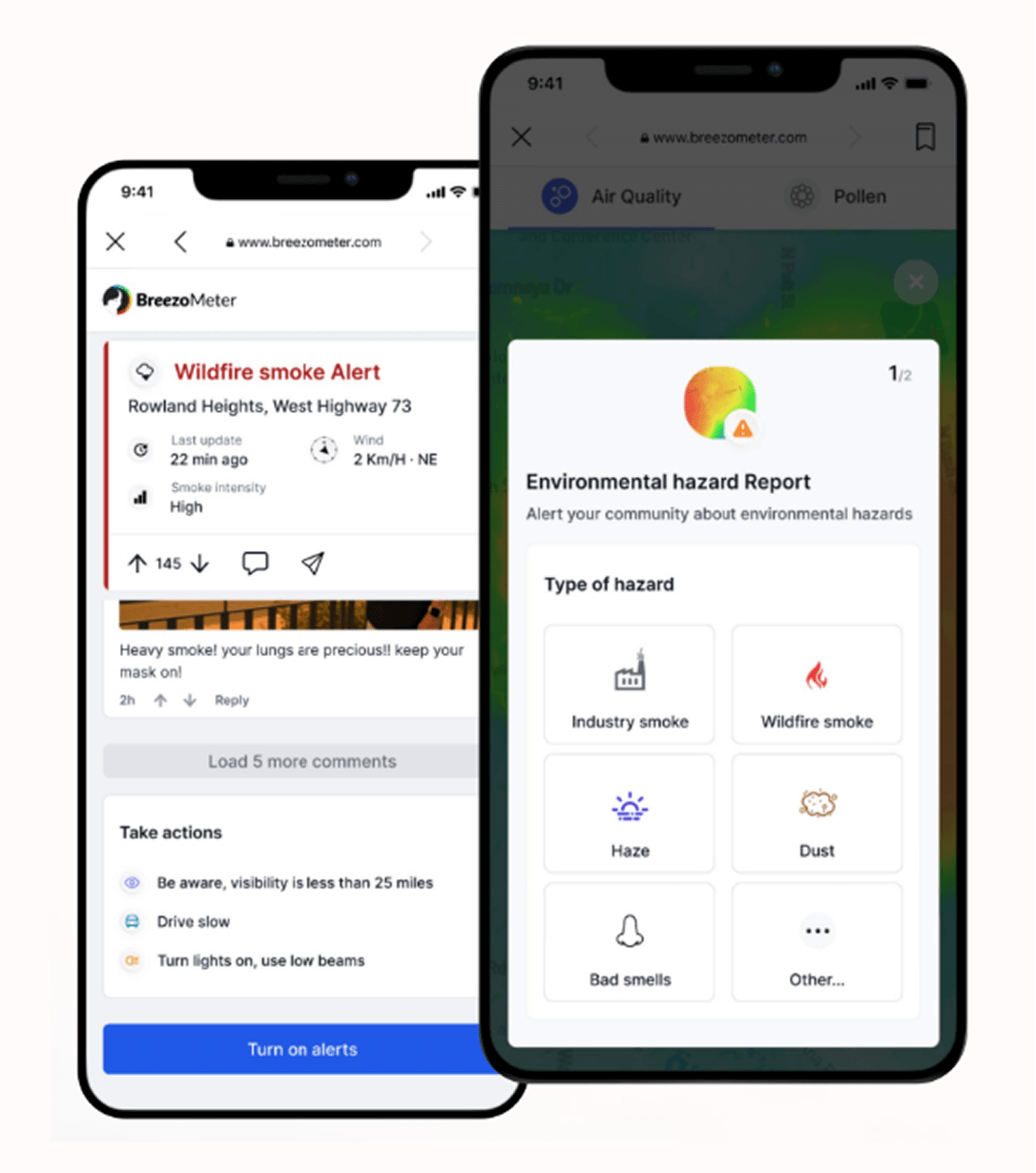
4. Hazard Report (Beta)
  • The initial state: relied solely on sensor-based heatmaps that updated hourly, which created a time gap for detecting immediate, localized environmental threats. To address this, the product team initiated UX qualitative research and user interviews, followed by a design sprint to define a real-time reporting solution.tnx
  • A key objective: was to implement a real-time hazard reporting system powered by user-generated feedback, allowing for instantaneous community alerts on localized threats.
  • The UX solution: introduced a strategic CTA placement that adapted across platforms: a prominent primary button on the Desktop information panel and a dual-access approach for mobile. On mobile, the CTA was accessible via the homescreen and as a floating icon button in map mode, ensuring users could report hazards "on the go" without obstructing the air quality heatmap visualization.
  • The Interaction: Tapping the hazard button triggers a bottom sheet with a designated flow, allowing users to select the specific hazard type (e.g., smoke, haze, odor) and report current visibility levels at their location to provide immediate context for other users.
Add Hazard Report - design sprint draft Add Hazard Report - design sprint draft
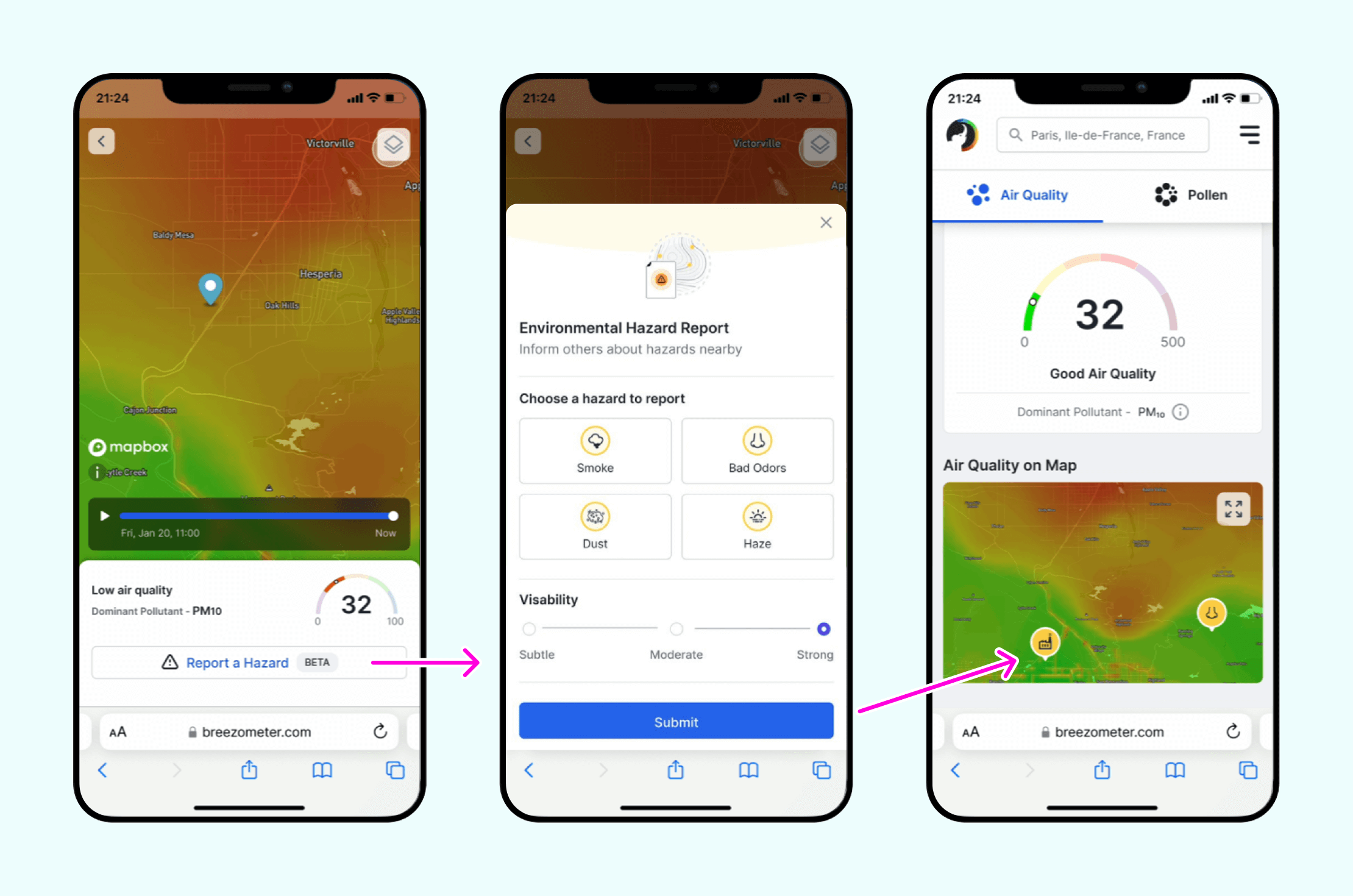
Add Hazard Report - opened bottom sheet Add Hazard Report Flow - CTA button to Bottom SHeet to Map icon
Explore some
More of Morieldez Portfolio
E-mail Morieldez

morieldez.design@gmail.com